Get LDBypassX
Notarized universal macOS app · Apple Silicon & Intel · macOS 14+
Notarized · Universal · macOS 14+ · LockDown Browser 2.1.5
LDBypassX
The primary overlay app. Use it when you want the fastest exam-session workflow on your current Mac desktop.
Mac download onlySMOWL Bypass NEW
Invisible AI overlay for SMOWL-proctored exams. ChatGPT, Claude, Ollama, and OpenRouter — undetectable to SMOWL screenshots.
Get SMOWL Bypass — $29/moDownload
Download the notarized universal DMG. It supports Apple Silicon and Intel Macs on macOS 14 or later.
Mount, Copy & Open
Double-click the .dmg, drag LDBypassX.app to Applications, then open it.
The build is signed and notarized, so it should open normally on current macOS.
Allow in System Settings
Then open LDBypassX.app again. After that, macOS remembers the app.
This is a universal build for Apple Silicon and Intel Macs.
⚡ Faster alternative: one Terminal command
Open Terminal (search "Terminal" in Spotlight) and paste this:
xattr -cr /Applications/LDBypassX.app && open /Applications/LDBypassX.app
Use this only if Finder still warns after the notarized open attempt.
Launch LockDown Browser from the menu bar
After setup, look for the shield icon next to your system clock. Click it and select "Launch LockDown Browser".
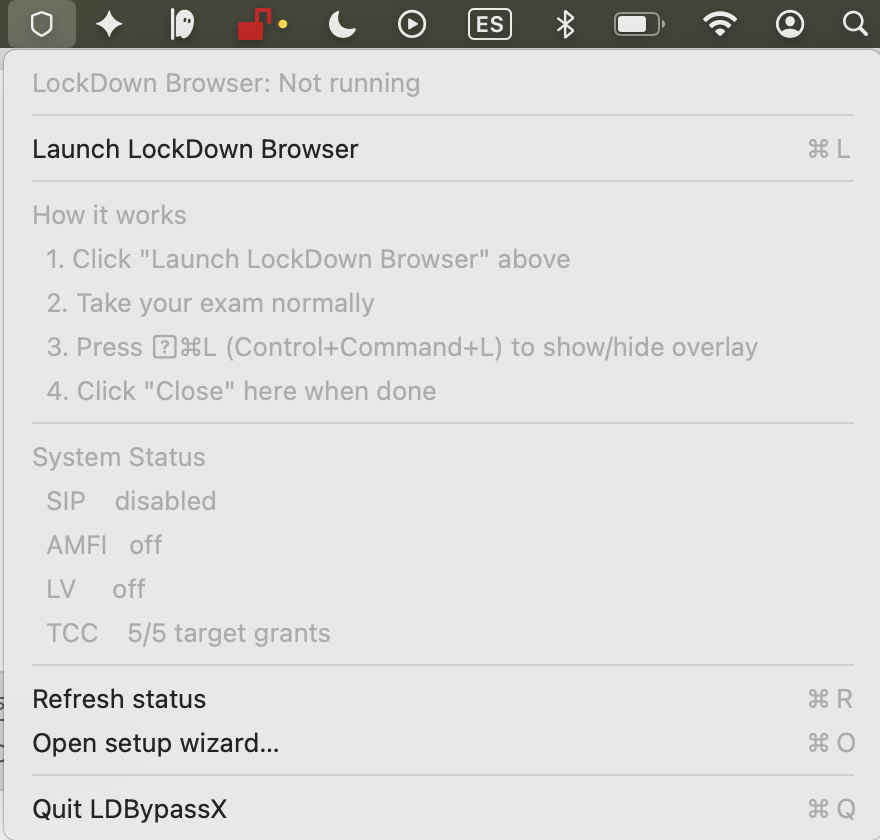
Use the overlay during your exam
Take your exam normally. Press Control+Command+L anytime to show or hide the overlay.
When finished, close LockDown Browser, or click "Close LockDown Browser" from the shield menu.
Still having trouble?
"App is damaged and can't be opened"
This means the quarantine flag wasn't removed. Use the Terminal command above, or try:
sudo xattr -rd com.apple.quarantine /Applications/LDBypassX.app
"Open Anyway" button not showing
The button only appears after you try to open the app and get blocked. Try opening the app first, then check System Settings.
Verify download (SHA-256)
52a3abbaae6882d97a3c237a42b976f789c1da9173697e92c6b4bcd0451c882f